
Docs · Diff review
Diff review
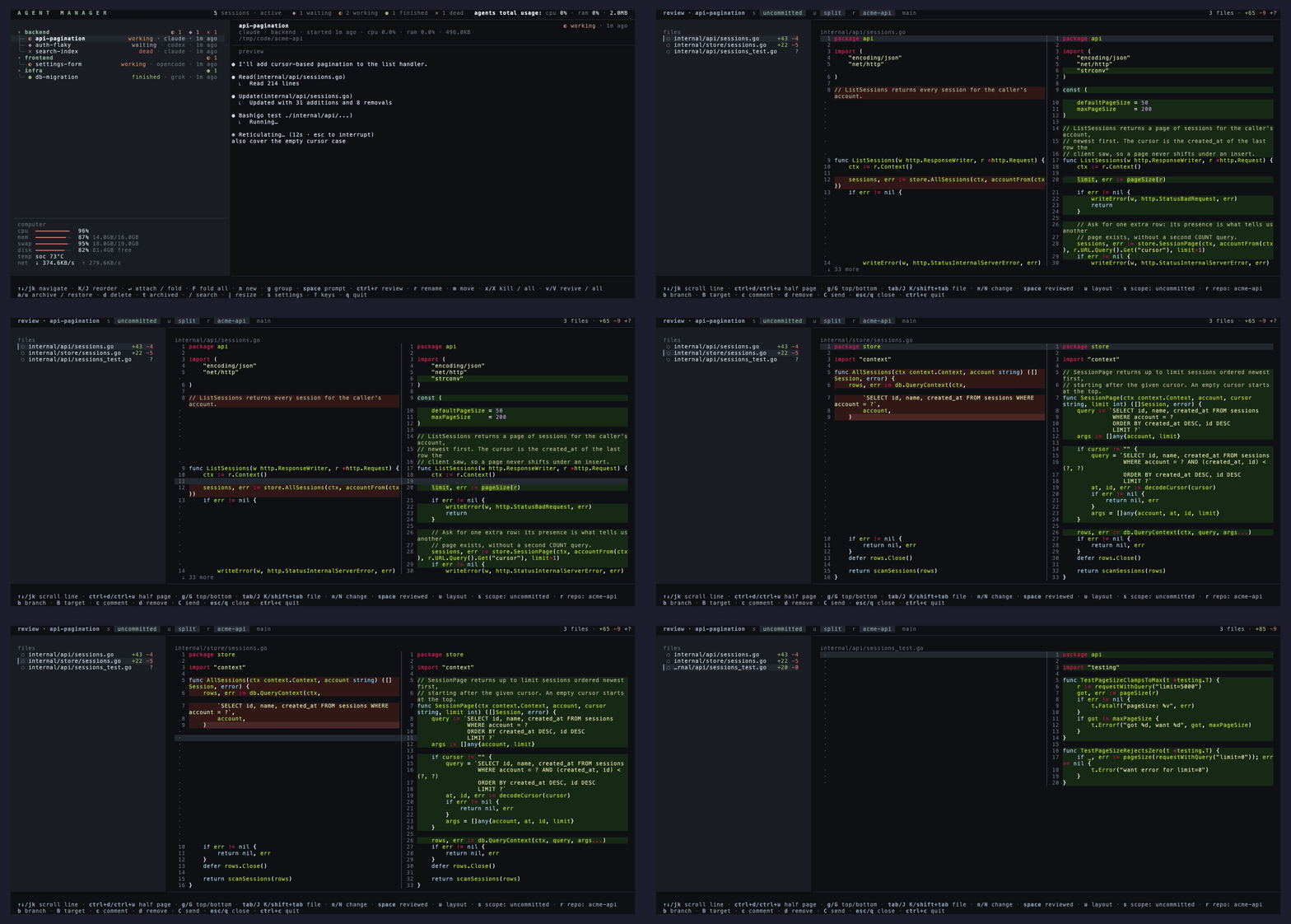
ctrl+r on a session opens a full-screen review of its repo: changed files with
+/− counts on the left, the whole file on the right with syntax highlighting and changed
lines tinted, so every edit reads in full context. The diff refreshes as the agent keeps
editing.
Comments go back to the agent
c writes a note on any line and d drops one. Comments stay on the
review screen until you send them: C flattens every one into a single prompt,
asks you to confirm, and delivers it into the agent's pane, so the agent starts addressing
your notes while you watch the diff update.
Keys
| Key | Action |
|---|---|
| ↑↓ / j k | Scroll the file. ctrl+d and ctrl+u move half a page, g and G jump to the ends. |
| J / K | Previous and next file. tab and shift+tab do the same. |
| n / N | Jump between changes. |
| u | Toggle unified and side by side, holding the cursor on the same source line. |
| s | Cycle the scope: uncommitted, versus target, last commit, staged. |
| r | Pick the repo when the session's directory holds several. Type to filter. |
| b | Pick the branch from the repo's worktrees. |
| B | Pick the target the "versus target" scope compares against. |
| space | Mark a file reviewed. |
| c / d | Write, drop a line comment. |
| C | Send every comment to the agent as one review prompt. |
| esc / q | Close the review. |
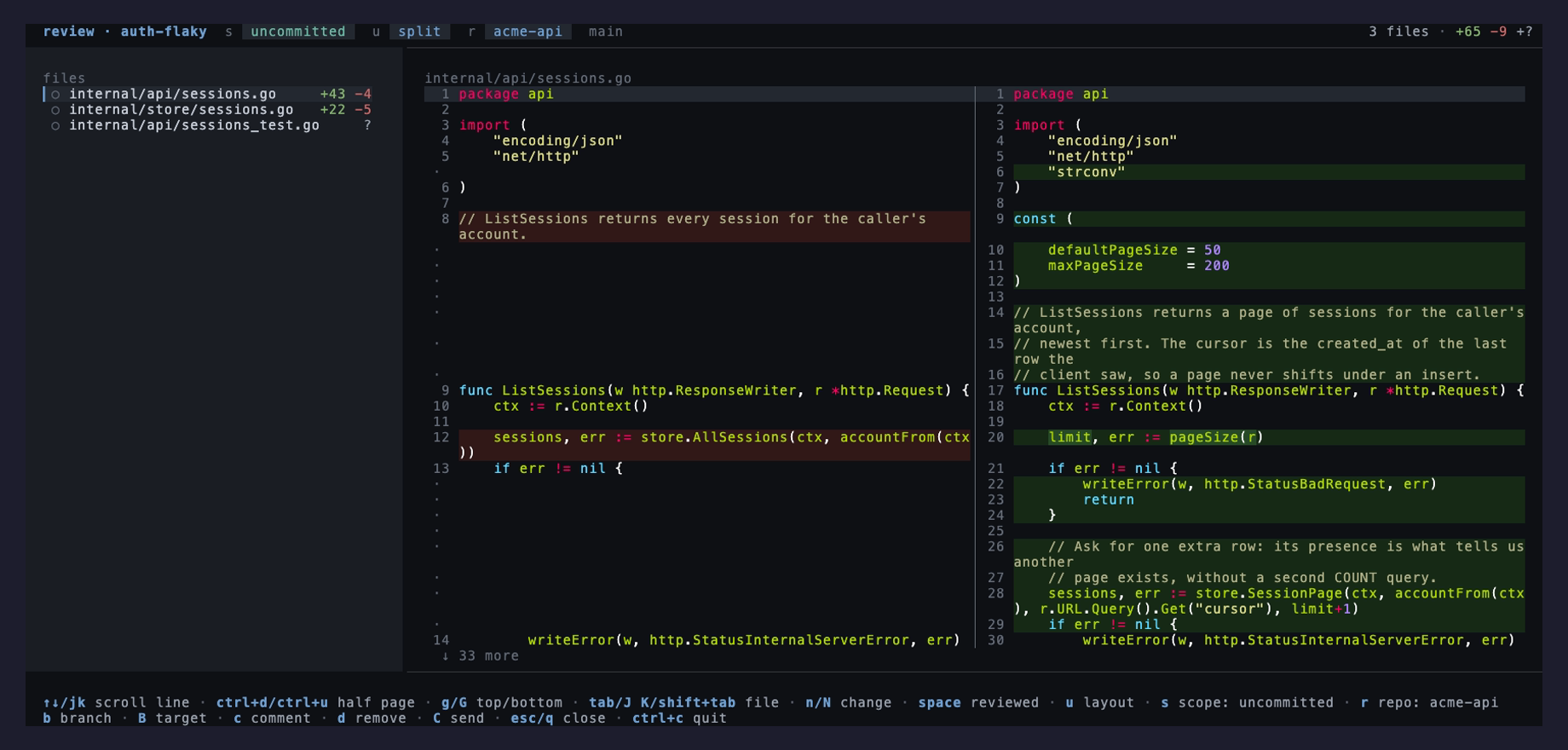
Each changeable value in the header wears its own key, so the scope, layout, repo and target
pills read as s, u, r, B legends at a
glance.
Which repo it opens
A session's working directory is often an umbrella folder holding many repos, so review
cannot simply guess. An agent that knows which repo it is in says so by calling the
review_repo tool, or by running the subcommand
from a shell inside its session:
agent-manager review-repo /path/to/repo
agent-manager review-base main
The path is checked to be inside a git repo and resolved to the repo root, so a declaration is a fact rather than a guess. Review then resolves its target in a fixed order:
- a repo you picked by hand with
rorb, for as long as the manager runs, - then the agent's declared repo,
- then the ranking: dirty working trees first, then the most recent commit.
B opens a picker to set or clear it.