
Docs · Overview
Overview
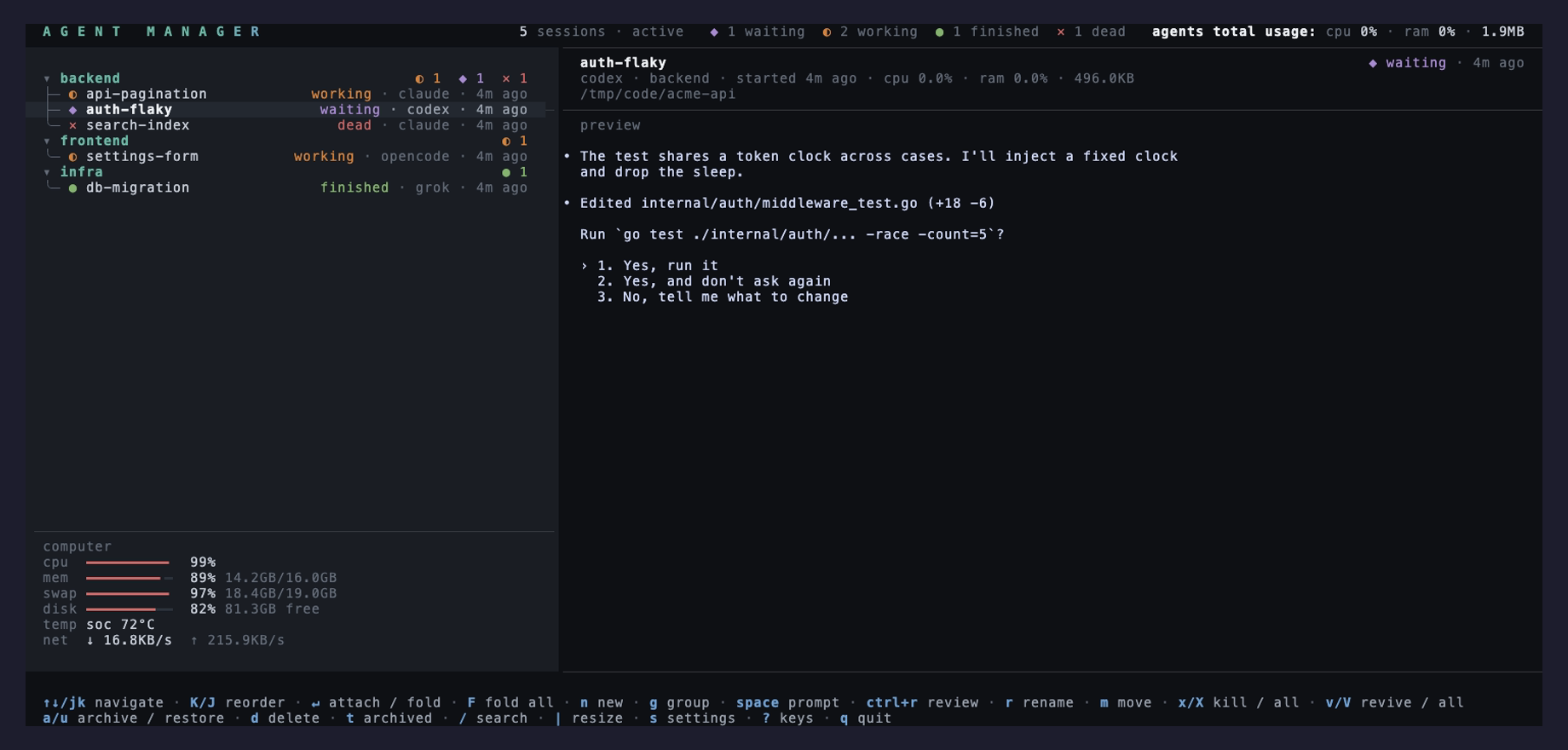
agent-manager is a Go TUI that runs on top of tmux. Every agent you start is a real tmux session, so the manager is a window onto them rather than something they live inside. Quit it and they keep working.
The first run
There is no config to write and no daemon to start. Install it, then:
agent-manager
A config file appears at ~/.config/agent-manager/config.toml on Linux or
~/Library/Application Support/agent-manager/config.toml on macOS, already holding
working blocks for Claude Code, OpenCode, Codex and Grok Build.
| Key | What it does |
|---|---|
| n | New session: name, tool, directory, an optional starting prompt, and a group. |
| g | New group. |
| space | Prompt the selected agent, or spawn one in the selected group. |
| ? | Every key, without leaving the app. |
Where the sessions live
Agent sessions run on a private tmux server named agentmgr, in the
am_* namespace, so they never mix with the tmux you run yourself and a
kill-server on your own socket leaves them alone. To reach one from a plain
shell, name that server:
tmux -L agentmgr ls
tmux -L agentmgr attach -t am_<id>ctrl+q detaches back to the manager and ctrl+r flags a review on
the way out. Both bindings are scoped to managed sessions, so they pass straight through
everywhere else.
Where to go next
| Page | What it covers |
|---|---|
| Install | Homebrew, the install script, the AUR, mise, Go, or a binary. |
| Status | Why a row is orange, and where that verdict comes from. |
| Quick prompt | Answering a blocked agent without attaching to it. |
| Diff review | Whole-file diffs whose line comments go back to the agent. |
| Configuration | Teaching it a CLI it has never heard of. |