
Docs · Configuration
Configuration
Config lives in your OS user config directory and is written on the first run with working defaults for Claude Code, OpenCode, Codex and Grok Build.
| Platform | Path |
|---|---|
| Linux | ~/.config/agent-manager/config.toml |
| macOS | ~/Library/Application Support/agent-manager/config.toml |
One top-level key: poll_interval (default "2s") sets how often panes
are polled for status, preview and stats.
Adding a CLI
Any other CLI runs as a session immediately, and earns live status the moment you describe it:
[tools.mytool]
command = "mytool"
default_status = "idle"
rules = [
  { state = "working", pattern = "esc to interrupt" },
  { state = "errored", pattern = "(?im)^\\s*error:" },
]
Rules match top-down against the visible pane text and the first match wins;
default_status applies when nothing matches.
Refining the status
| Field | What it does |
|---|---|
| activity_cutoff | Regex locating the tool's input box. Everything above it is turn content. |
| turn_end | A turn-summary line marking the turn as over. |
| busy_line | Work that outlives its turn, such as background agents. |
| chrome_line | Interface furniture to ignore when reading the pane. |
| blocked_line | A line that means the agent is waiting on you. |
| trailing_note | Trailing output that should not count as activity. |
| status_source | "claude-hooks" takes the status from Claude Code hook events instead of the pane. See Status. |
claude and opencode blocks use all of these,
so the file itself is the reference.
Revive and prompts
| Field | What it does |
|---|---|
| resume_by_id_command | Resumes one exact conversation, with {id} replaced by the session's captured agent id. |
| session_id_flag | Launches the tool under an id the manager mints, for example --session-id. |
| session_store | "codex" or "opencode", to read back an id the tool minted itself. |
| revive_command | What v falls back to when no id is available, such as claude --continue. |
| prompt_flag | How the form's optional prompt enters the launch command. Empty for tools that take it positionally (claude 'the prompt'); OpenCode declares --prompt, since its positional argument is the project path. |
| mcp | "claude" | "codex" | "opencode" | "grok" | "gemini" | "none". See MCP tools. |
Themes
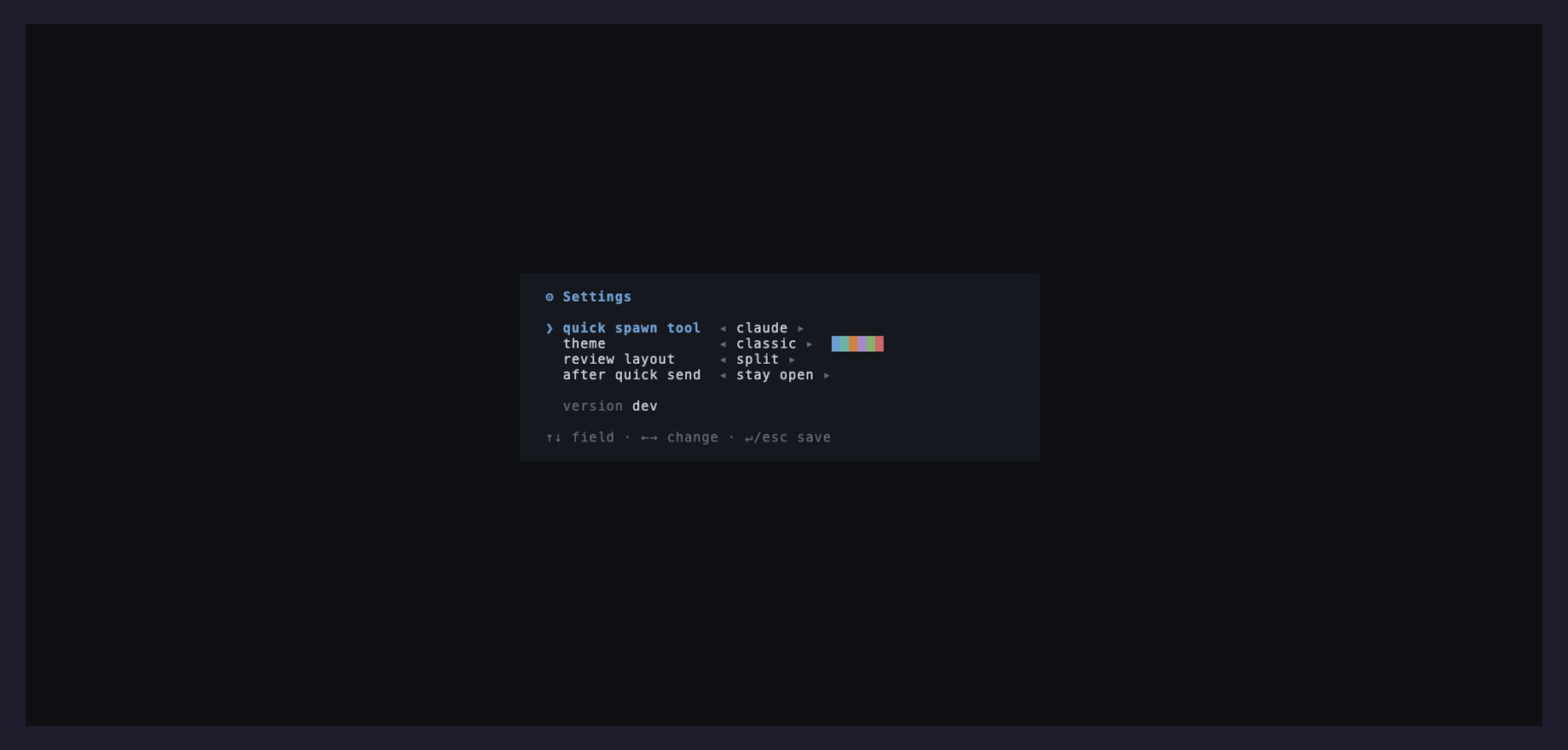
s opens settings, where ↑↓ move between fields and ←→
change the focused one. Nine palettes ship: classic, solarized dark, catppuccin mocha, tokyo
night, gruvbox dark, nord, dracula, rosé pine and monochrome.
The swatch strip beside the name previews the palette, and the theme applies as you step through the picker, so it is a live preview of the whole UI. The manager also matches the terminal's own background to the palette, so the window has no seam against it, and restores it on exit.
State
Order, groups, archive, theme and the split ratio live in state.db, a SQLite file
next to the config, and are restored on the next run.